High recognition accuracy, modern and simple user interface
In today’s digital era, we have many photos stored on our devices and in the cloud. It can be difficult to find a specific photo when we need it. Photo manager apps help us organize our photos and make it easy to find them. Some of these apps use artificial intelligence (AI) to recognize faces in photos. This helps us group photos by person.
In this article, we will introduce you to the top 13 photo managers with face recognition. These apps are not just useful for personal photos, but also for companies that need to organize product images, event photos, or marketing visuals.

Criteria for selecting the best face recognition software
Here are the main characteristics we used to consider when choosing the best photo manager app with face recognition function:
- General assessment of the quality of work.
- Interface and usability — the convenience of functionality, the logic of using certain components. It is important if the program is user-friendly and intuitively clear.
- Availability — how the program is distributed (paid, subscription, demo mode, etc.). Also, if there is the ability to install the program on a PC with an alternative OS (Mac, Linux and others).
- Additional functionality — useful functions that make it easier to work with photos.
- General impression.
For a quick overview, below is a comparison table of all participants in our ranking with their key characteristics:
| Program | Rating | Supported OS | Price (in 2026) | Key feature |
|---|---|---|---|---|
| Tonfotos | 5.0 / 5 | Windows, macOS, Linux | 2,490 RUB (free version available) | Ranking leader, modern accurate algorithms, smart duplicate search |
| Picasa | 4.8 / 5 | Windows | Free (support discontinued) | Legendary classic, fast performance on older PCs |
| Adobe Lightroom Classic | 4.7 / 5 | Windows, macOS, iOS, Android | €14.98/month | Professional choice, deep integration with RAW editor |
| Cyme Peakto | 4.7 / 5 | macOS | From $15/month | AI-powered contextual search, automatic grouping when 5+ similar photos are found |
| Google Photos | 4.6 / 5 | Android, Web | Subscription (free up to 15 GB) | Convenient cloud storage, automatic album creation by people |
| Apple Photos | 4.6 / 5 | iOS, macOS, Web | Built-in (free / iCloud subscription) | Deep system integration, linking faces with contacts |
| ImageRanger | 4.5 / 5 | Windows, macOS | $45 lifetime license | Real-time recognition, writes face tags directly into EXIF/IPTC metadata |
| ACDSee Photo Studio | 4.5 / 5 | Windows, macOS | $149.99 lifetime / $8.90/month | Full-featured suite for editing and cataloging RAW files |
| Mylio Photos | 4.4 / 5 | Windows, macOS, iOS | $25/month | Import from social networks (Flickr, Lightroom), convenient synchronization |
| Excire Foto | 4.3 / 5 | Windows | €229 lifetime | Uses 5 different types of AI for evaluation and tagging |
| Microsoft Photos | 4.3 / 5 | Windows | Built-in (free) | Preinstalled solution, can find people inside videos |
| CyberLink Photo Director | 4.2 / 5 | Windows, macOS | $19.99/month | AI face retouching and automatic folder sorting |
| Digikam | 4.1 / 5 | Linux, Windows, macOS | Free (Open Source) | Open source, extensive features for advanced users |
| Tagthatphoto | 4.0 / 5 | Windows | $19/year (free up to 10 people) | Simple three-tab interface for quick sorting |
Tonfotos
The leader of the rating received high marks both in terms of qualitative and visual characteristics. Tonfotos has a simple and intuitive interface, while it copes perfectly with the task of face recognition and sorting.
Since Tonfotos runs AI recognition locally, initial indexing can take some time. At the same time, the program shows how much time is left before the indexing is completely finished, and also allows you to work with those images and faces that have already been indexed.
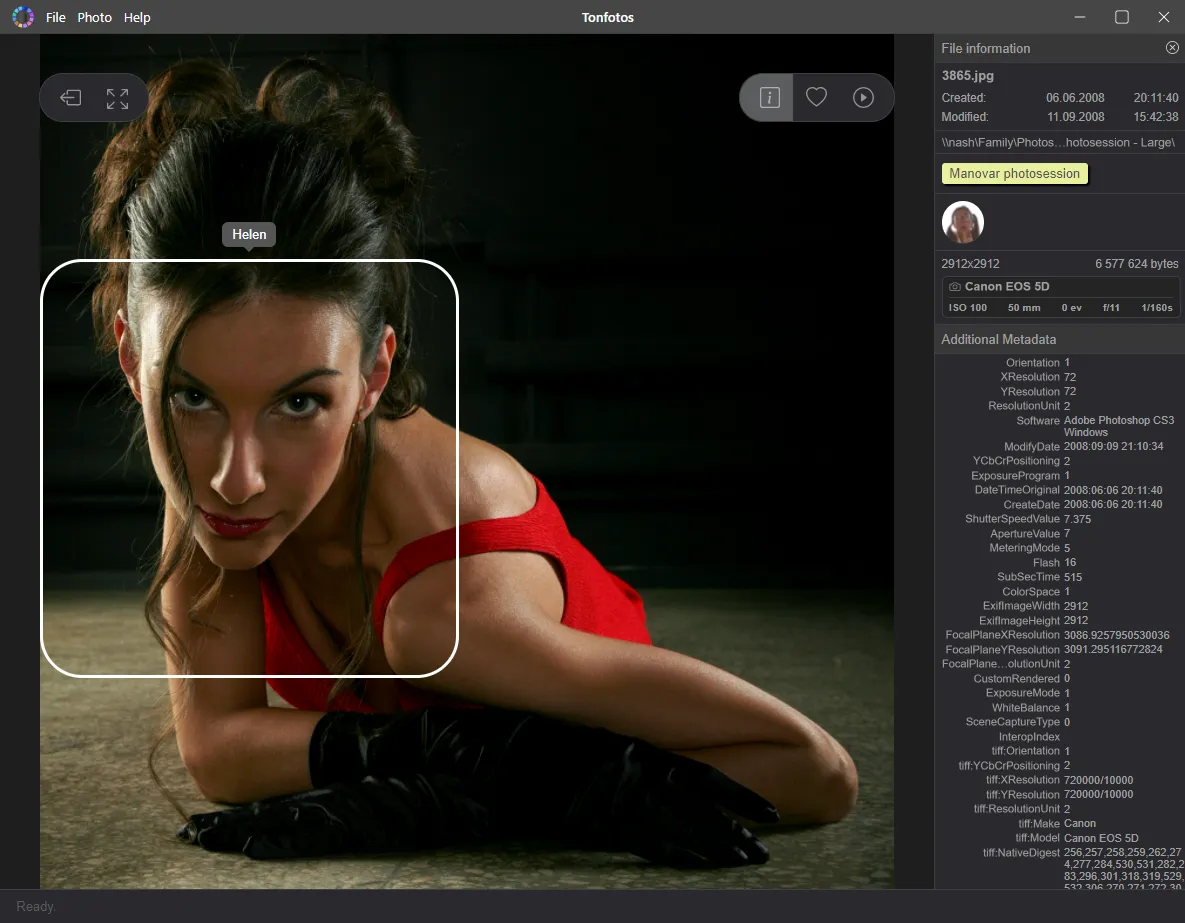
During indexing, the program checks for duplicates, finds faces in photos, even partially overlapped, marks them, collects other data. Due to the fact that all the "heavy lifting" is done once at the very beginning, further operations are very fast and responsive.
Advantages of the program
- Modern and intuitive user interface.
- Tonfotos found more faces than other reviewed programs.
- Duplicate search and removal function.
- Work with several sources at once (a computer disk/cloud/phone).
- The free version of the program can be used indefinitely, and there will be minimal restrictions.In a free version you can find full functionality of the paid one, except for the limit on the number of recognized persons.
Disadvantages of the program
Initial indexing of a photo archive can take significant time, especially for larger archives. However, this is just a one-time inconvenience.
Picasa (Google)
Probably, Picasa is the veteran among photo cataloging programs with face recognition function. Unfortunately, this program is no longer supported and is not available for download. However, it is still quite popular and many users continue using it, even though some functions (like maps) do not work properly.
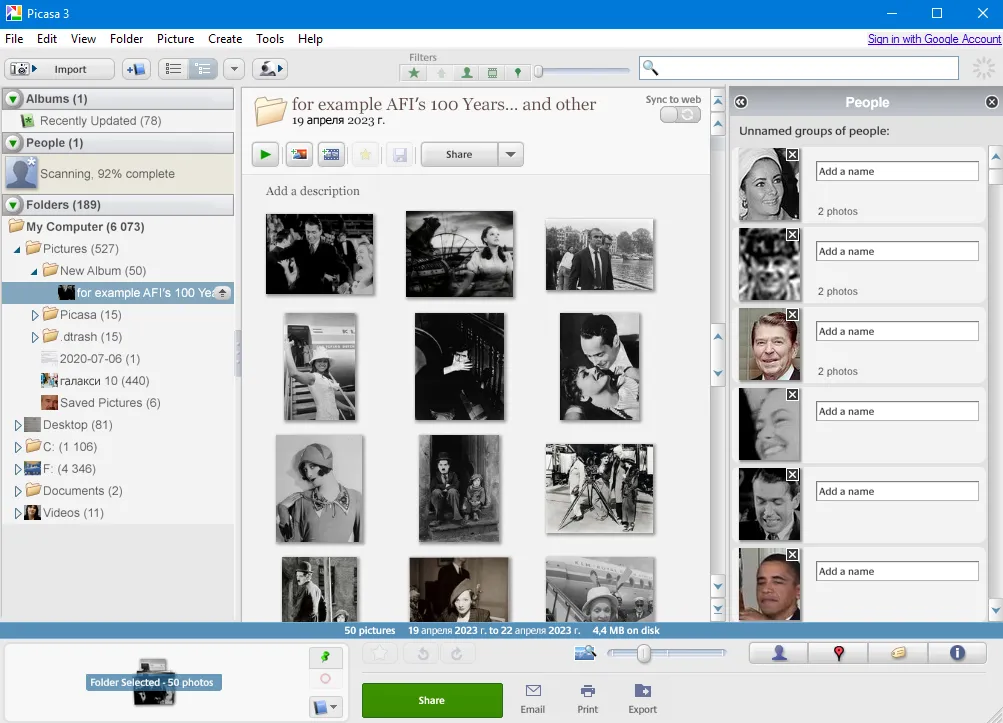
By modern standards, the accuracy of the recognition algorithms doesn’t meet high expectations. The program offers two approaches to adding photos with people to archive:
- If you open the "People" menu item, you will see a page with all those faces that the program recognized — in the "Unnamed people" sub-item. The user only has to enter the name of the person and mark (confirm) him/her in the photo.
- "Manual" addition of a person to the database of people. In this case, a user confirms if there is a person in the image recognized by the program.
Advantages of the program
- The program is free;
- Slightly outdated, but intuitive interface.
Disadvantages of the program
- The program is not updated, there is no official source for downloading. You need to search for the installation file on questionable sites, so there is some risk of infecting the computer.
- There are freezes in work.
- Some images of faces are stubbornly ignored by the program (half-face, processed or with poor quality), since it uses outdated recognition algorithms.
- Maps do not work since Google disconnected the application from its servers.
Cyme Peakto
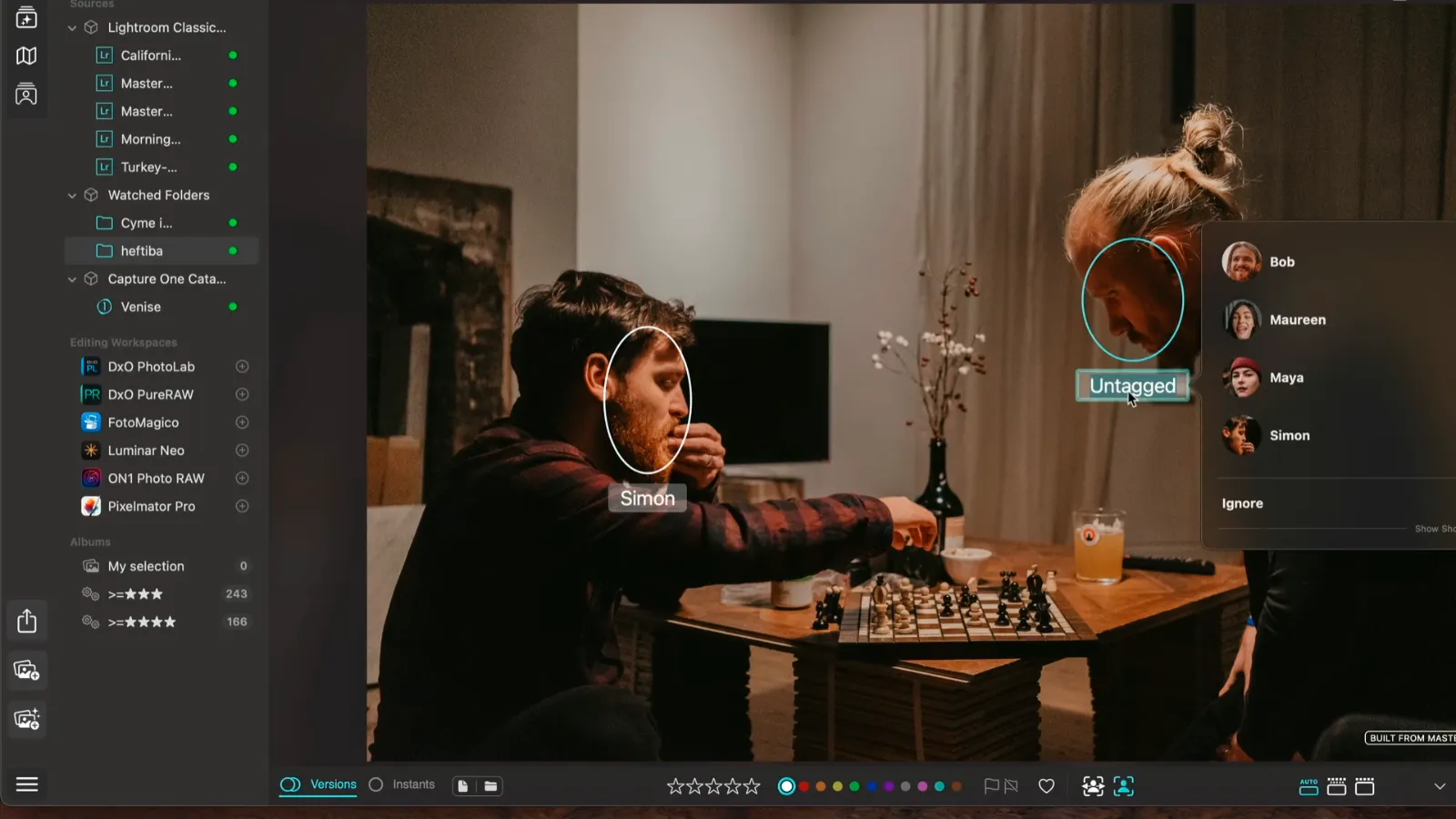
Compared to heavyweights like Adobe Lightroom and ACDSee Photo Studio, Cyme Peakto is a young project. According to the roadmap presented on the developer's website, the first version was released only in mid-2020. Despite its "young" age, this multimedia manager has extensive capabilities for sorting and cataloging photos. Many functions are implemented using AI models. For example, searching for photos and video fragments by content context, not by metadata.
The face recognition function has a non-standard implementation: Cyme Peakto immediately groups photos if 5 or more photos with the same person were found in the photo archive. The user only needs to indicate the name of the person. If the model is not sure who is depicted in the photo (the face is not fully visible or in profile), it arranges the names of previously specified people in order of greatest probability.
The problem is that Cyme Peakto is only distributed for MacOS. You can purchase the program on a monthly subscription basis starting from $15 or a lifetime license for $238.8. For example, the same Adobe Lightroom in the US costs from $11.99.
Benefits of the program
- Cyme Peakto has an intuitive and user-friendly interface.
- The program has a wide range of functions for sorting and cataloging photos.
- Cyme Peakto uses artificial intelligence models to search photos and video snippets based on the context of the content rather than metadata.
- The facial recognition function works unconventionally and effectively. The program immediately groups photos if 5 or more photos with the same person were found in the photo archive.
Flaws
- Cyme Peakto is only available for MacOS.
- The program is distributed on a monthly subscription basis from $15 or a lifetime license for $238.8. It's more expensive than many other photo editing programs.
ACDSee Photo Studio
- Price: $129.94 for ACDSee Photo Studio Professional 2025 edition
- Platforms: Windows, Mac
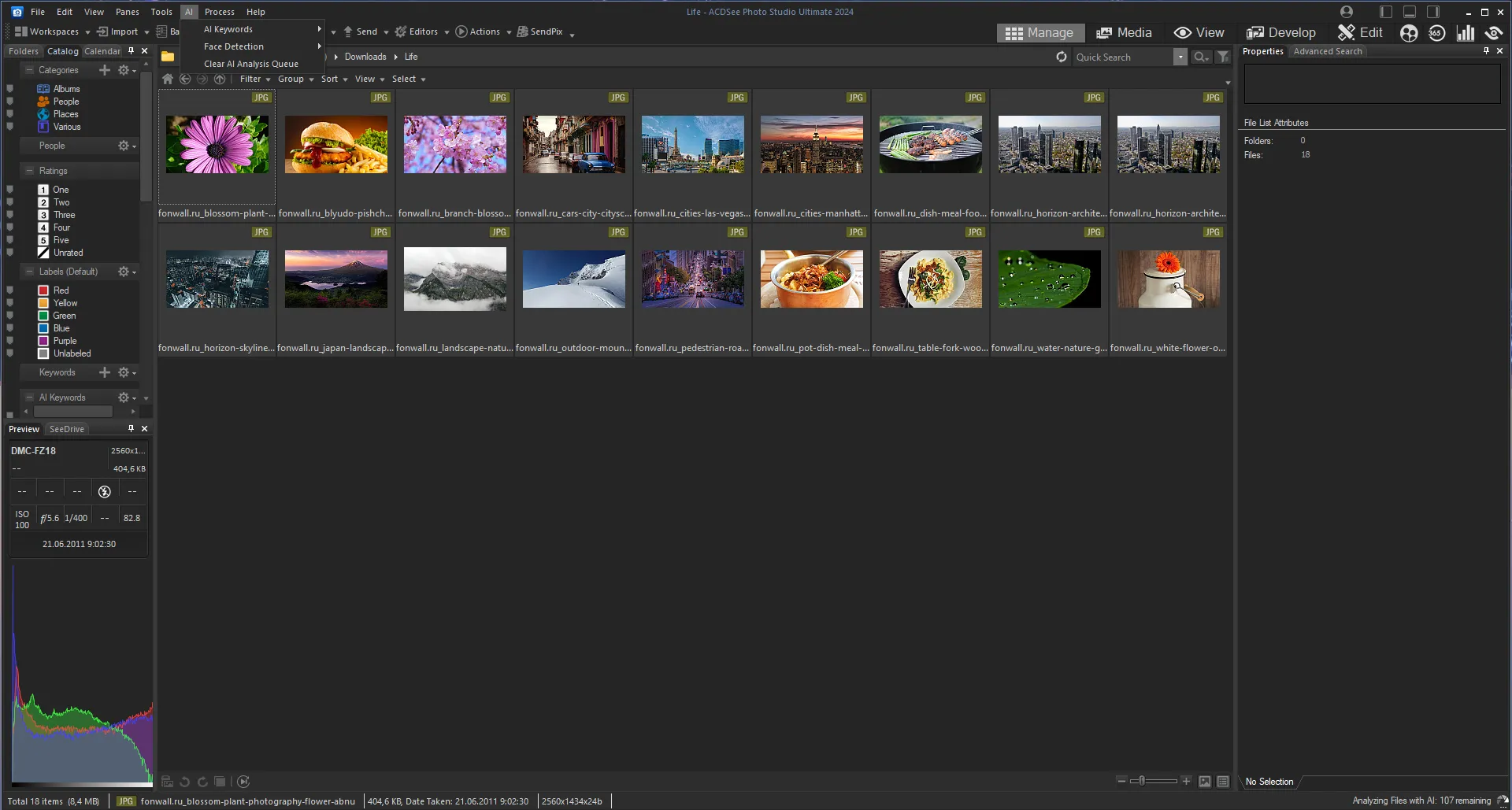
ACDSee Photo Studio is one of the photo editors and RAW organizers that combines some of the functions of Adobe Bridge and Lightroom. Like all the programs in this article, ACDSee Photo Studio also includes a face recognition feature that automatically sorts photos based on detected faces. The face recognition function can be useful for organizing and classifying large collections of photos, but it is worth noting that the results in this program may not be perfect, especially in low-quality photos or if there are many people in one image.
Advantages of the program
- Grouping photos by categories, people, rating, color labels and so on.
- Photo editing functions
- Packed with features
- 15-day trial subscription
Disadvantages of the program
- User interface can be a bit complicated for non-professional users
- Quite slow when dealing with large archives
- Not the best in the category in terms of face recognition
- High price
Adobe Lightroom Classic
- Price: starting from $11.99 per month
- Platforms: Windows, Mac, iOS, Android
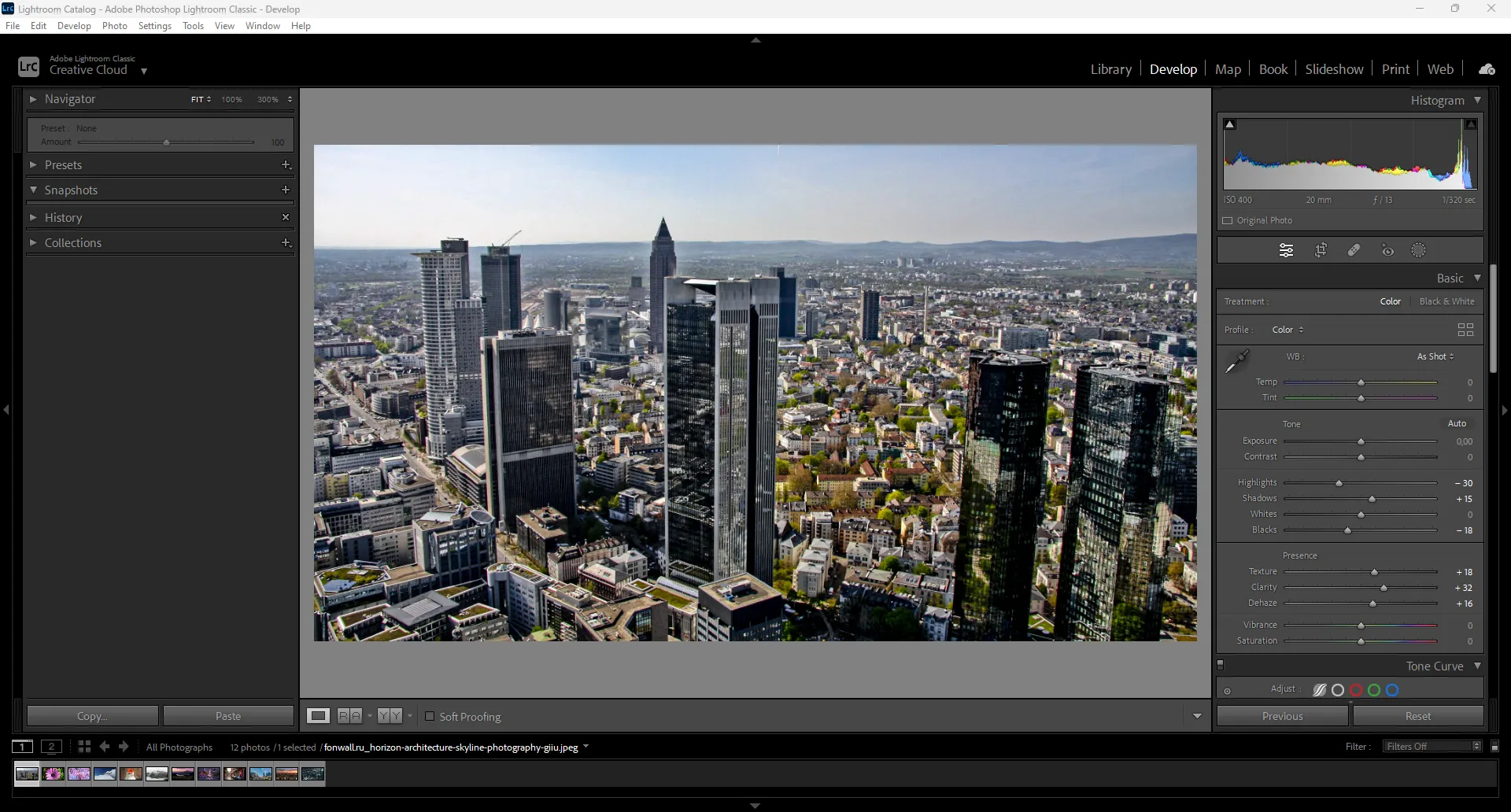
Adobe Lightroom Classic is one of the most popular image editors used by professional photographers. It also has a face recognition function. Lightroom allows you to find and organize photos by people's faces, even throughout the catalog. You can choose either you want the program to search for certain people's faces or by some specific criteria, for example, name, gender, age. You can make certain labels to individual files or, for example, completely disable face recognition.
But, unfortunately, there are some flaws. Although the function is present in this program, it is not quite popular because of its long operation. The program freezes for a few minutes if there is a search among dozens of files. This greatly hinders productivity. However, the program is able to perform this task efficiently if there are a lot of people in the image.
Advantages of the program
- High-quality work and search for the necessary content
- Ability to analyze among a large number of photos
- Nice additional features
- There is a trial subscription where you can use the full set of the program
Disadvantages of the program
- Low work speed
- Frequent program freezes
- The design of the Classic version has always been a bit outdated and not quite intuitive, unlike other Adobe programs
Google Photos
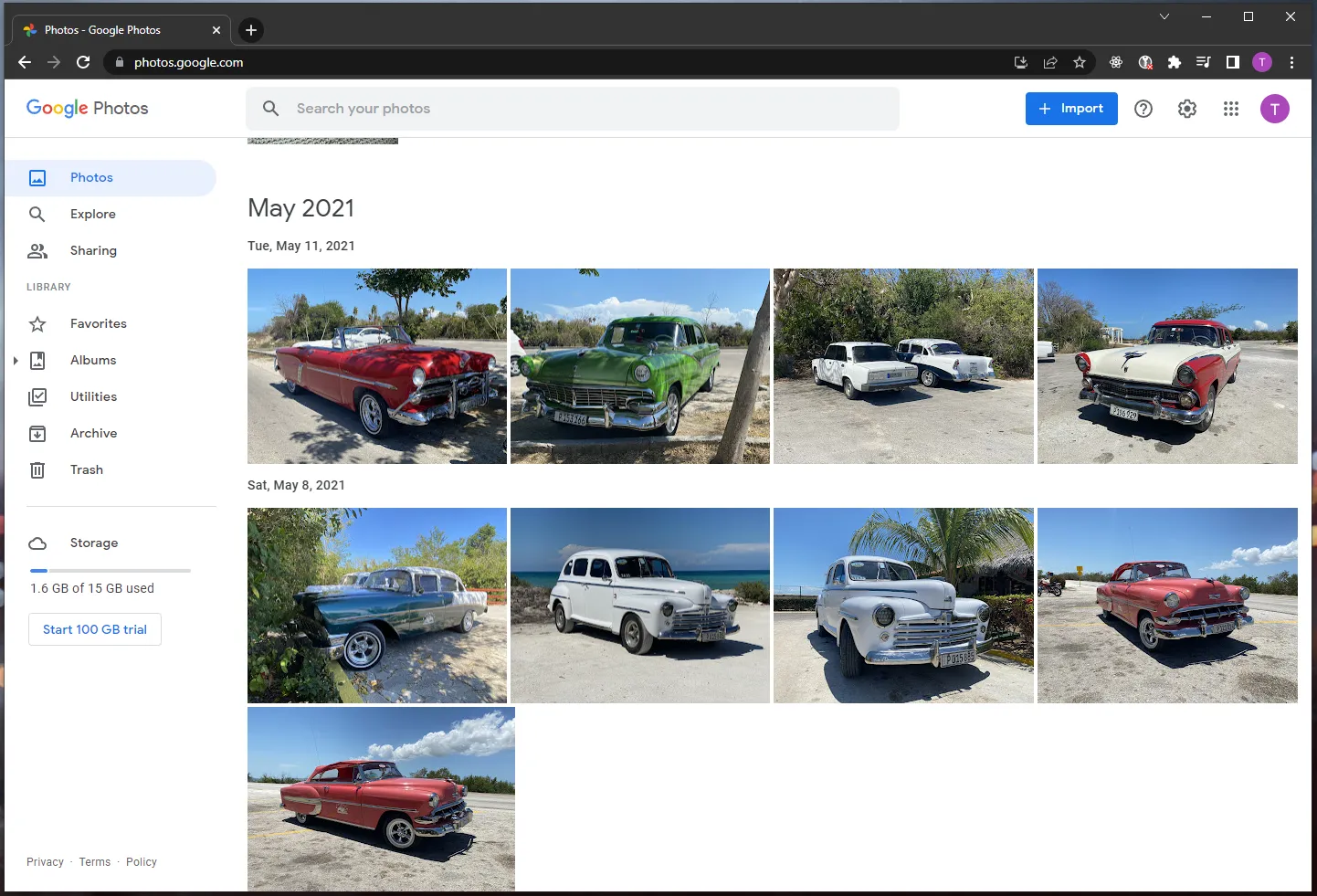
Google Photos is a cloud service from Google for storing and editing photos. It has many functions, including face recognition. When you upload photos to Google Photos, the app automatically recognizes faces in the photos and groups them by people. You can edit photos online, add tags, comments and share them with other users.
Unlike competitors, Google Photos allows you to create albums from photos with recognized faces - you can select photos of a certain person or group of people and create an album that will be available only to you or your friends.
It is also worth noting that if Google Photos finds a certain person among your gallery, the program will prompt you to automatically sort this photo into a group where this person was recognized.
Advantages of the program
- Fast, high-quality and automatic sorting of new and old photos into groups
- Ability to name folders
- Free for up to 15GB of storage
- Nice user interface
Disadvantages of the program
- Has only small subset of functionality of other photo management applications is this list
- Doesn’t always find the necessary faces among the crowd of people
ImageRanger
- Price: Free Trial / Lifetime License (No Subscription)
- Platforms: Windows, macOS
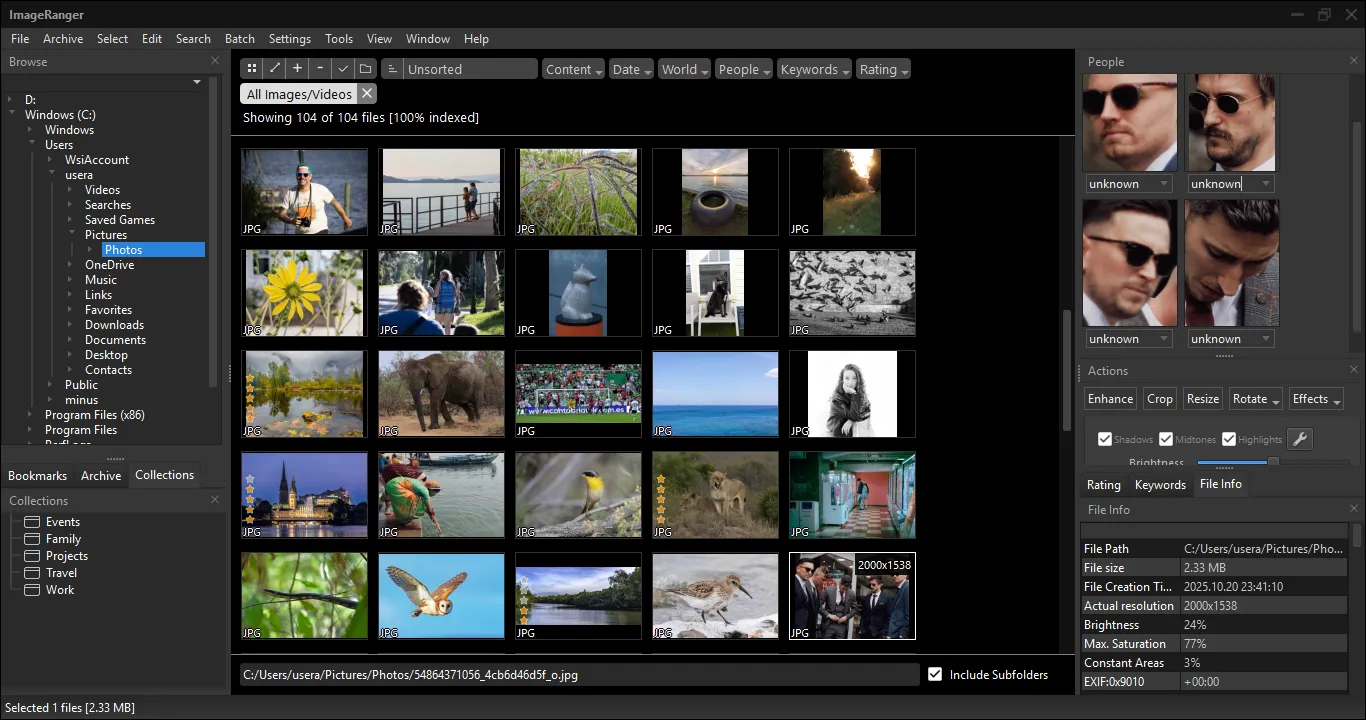
ImageRanger is a photo cataloger that searches and identifies faces on the fly, as you open folders. As a result, the program runs significantly faster than competitors that use index databases.
The app doesn't use cloud services. All work is done locally. This is a great tool for those who store huge photo collections on external drives or NAS drives.
The face recognition feature is implemented with compatibility in mind. ImageRanger can write tags with people's names directly into file metadata (EXIF/IPTC). If you move a photo to another computer or open it in a third-party program, the face tags will remain. Recognition works even on complex group portraits.
ImageRanger's interface is simple and intuitive. Simply click on the desired folder, and the program instantly reads the metadata and detects facial features. Basic image correction tools are also available. For example, you can adjust the white balance, correct the exposure, or apply a stylized effect.
Advantages
- Facial recognition occurs locally without sending data to the cloud.
- EXIF/IPTC face tagging ensures compatibility with third-party applications.
- Lifetime license (one-time payment, no subscriptions).
- Advanced duplicate search and batch file processing.
Flaws
- Although it's possible to sort photos by geolocation tag, the program lacks the ability to visualize the shooting location on a map.
- Although the interface is convenient, it has a slightly outdated appearance.
- There is no support for Linux distributions.
Digikam
Search for faces in the program is "hidden" and it might be difficult for an inexperienced user to find it right away. To find this function go to the "People" tab. Expand the "People" list. In "Unknown" there are portraits of those people that the program found and did not group them to previously identified and typed into the database.
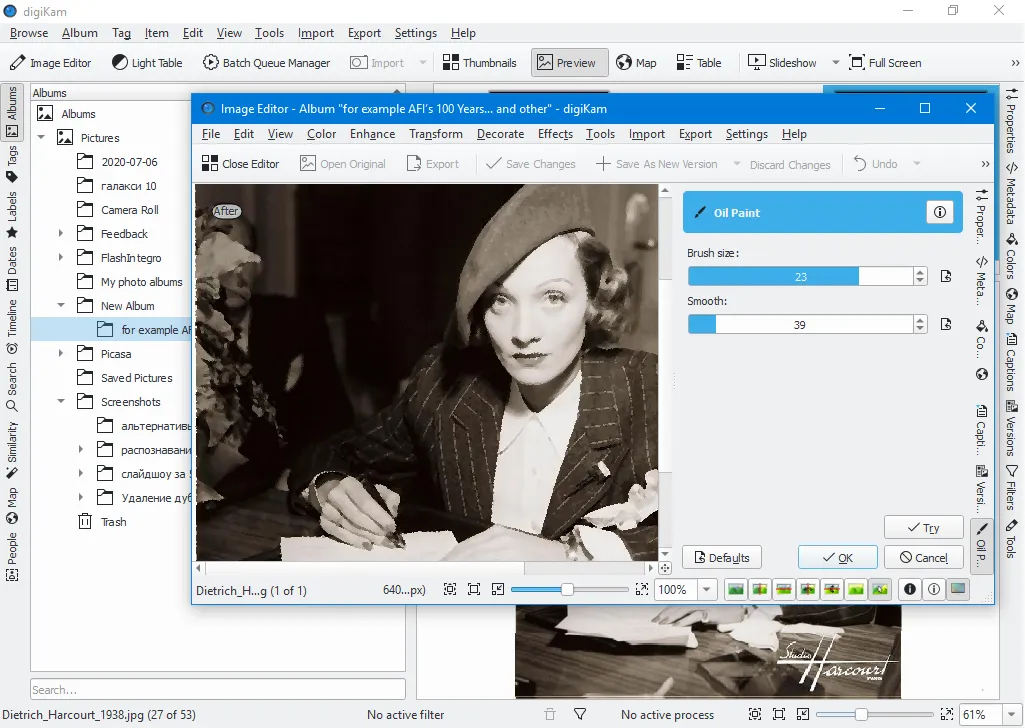
Initially opening the People tab, you may not understand at first the structure. There is a smiley face there and it is not clear that you need to click on it to open a list with faces recognized by the program. The location of the face search tools is also unsuccessful — the lower left corner, you pay attention to it last of all since its design does not catch the eye in any way.
The search goes through all the images in the specified directory at once, recognizing all the faces it can. And only then the user distributes the found images by name.
While testing the function, the program hung up. The speed of work is low. Compared to competitors, the program recognizes faces worse.
Advantages of the program
- Free program. Open source code. It was originally written under Linux, but today it runs on most PCs.
- You can publish photos to many different services.
Disadvantages of the program
- Specific interface.
- Poor face recognition quality.
- You can't manually mark a person in a photo for sorting it by the system in the future.
- The program was stuck during the scan.
CyberLink Photo Director
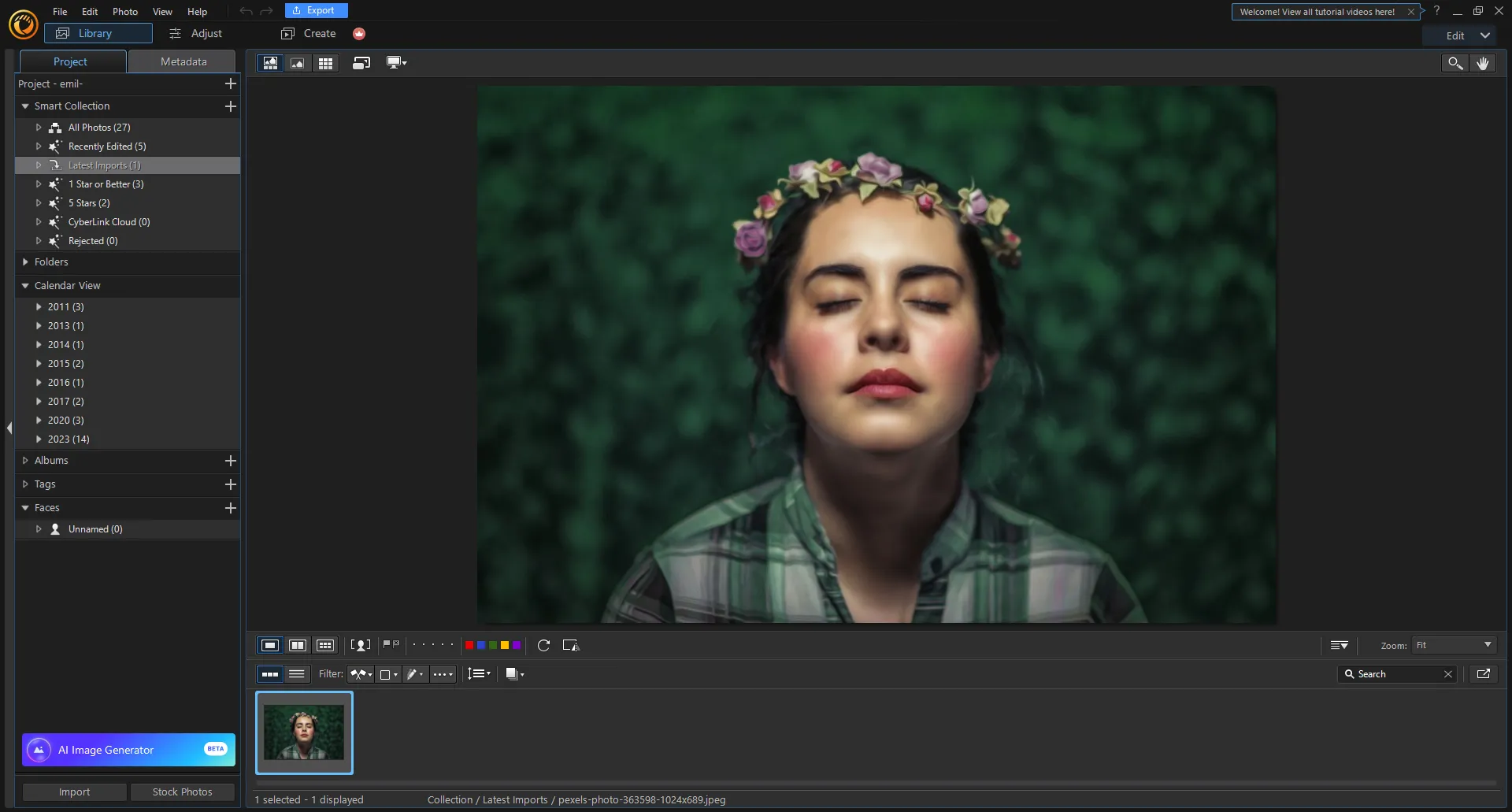
The Cyberlink program is known for its multimedia tools, such as PowerDirector and PhotoDirector, and it is mostly about video editing, however, Cyberlink PhotoDirector has facial recognition functions. They are quite interesting in this application, since they use artificial intelligence.
PhotoDirector is a photo processing program that offers a “Smart Fix” feature that allows you to automatically retouch and enhance photos. This feature includes facial recognition, but only to determine which parts of the face need to be improved.
The program is able to analyze the faces that are used in the process of work and improve them with the help of AI, so CyberLink is one of the leading companies in the field of facial recognition technology. It quickly finds familiar faces, and in addition to this, you can give them names so that the application automatically offers and then distributes the results of the work into folders.
Advantages of the program
- High-quality work and analysis of people's faces using AI.
- Ability to distribute photos into folders
- There is a free version with limited functionality.
Disadvantages of the program
- There is no possibility of extensive sorting of photos
- Face analysis does not always work correctly
- Sometimes the program does not recognize a face and asks to give another name to the same person.
Excire Foto
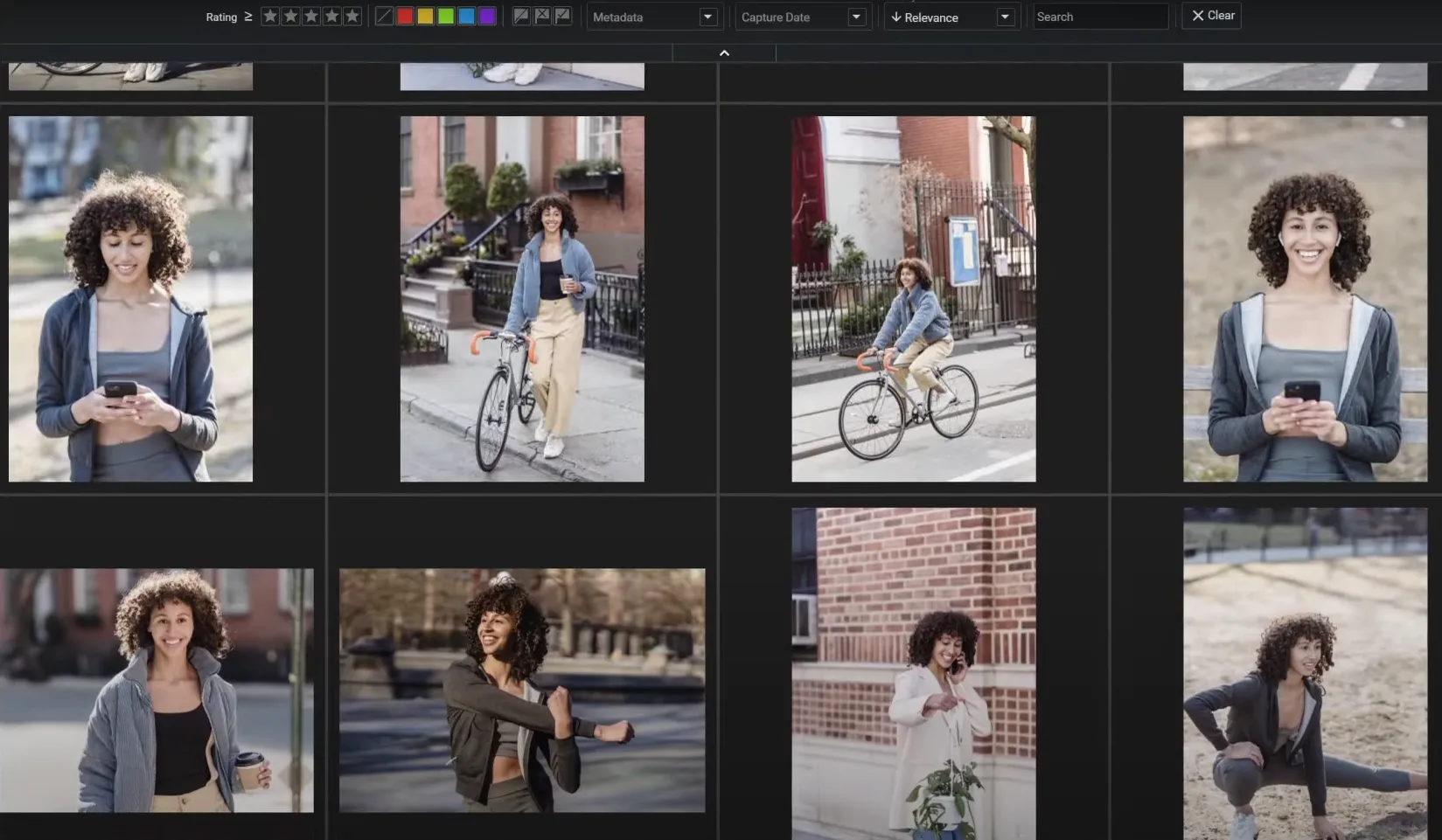
Another program designed to work with photos, as well as face recognition. The developers call it an almost perfect image organizer, because it includes five types of artificial intelligence at once, which can fully simplify the work with files.
In this program, with the help of X-PROMPT AI, you can get photos if you enter any necessary text. If you need to sort people's faces by folders or certain criteria,you should use X-FACE AI and X-TAGS AI, which will give these files various tags and keywords. To make the search for photos by faces better, the application uses X-ALIKE AI. Finally, X-TETICS AI will evaluate and report on the image.
Despite the use of many different kinds of artificial intelligence, the program isn’t the best on our list, as it contains some problems. For example, due to the fact that five types of AI work at once at the same time, there are frequent crashes of the program or images simply disappear for no clear reason.
Probably, this is due to the fact that the program has switched to a new version and has not yet been fully brought to mind.
Advantages of the program
- High-quality search and analysis of programs using modern technologies
- There is a good sorting of photos and images by various criteria
- Many additional and interesting features
- Affordable price
Disadvantages of the program
- Credit card details are required even for the trial version
- Numerous reports from users about bugs in the program
- Problems with the operation of a large volume of images
Mylio Photos
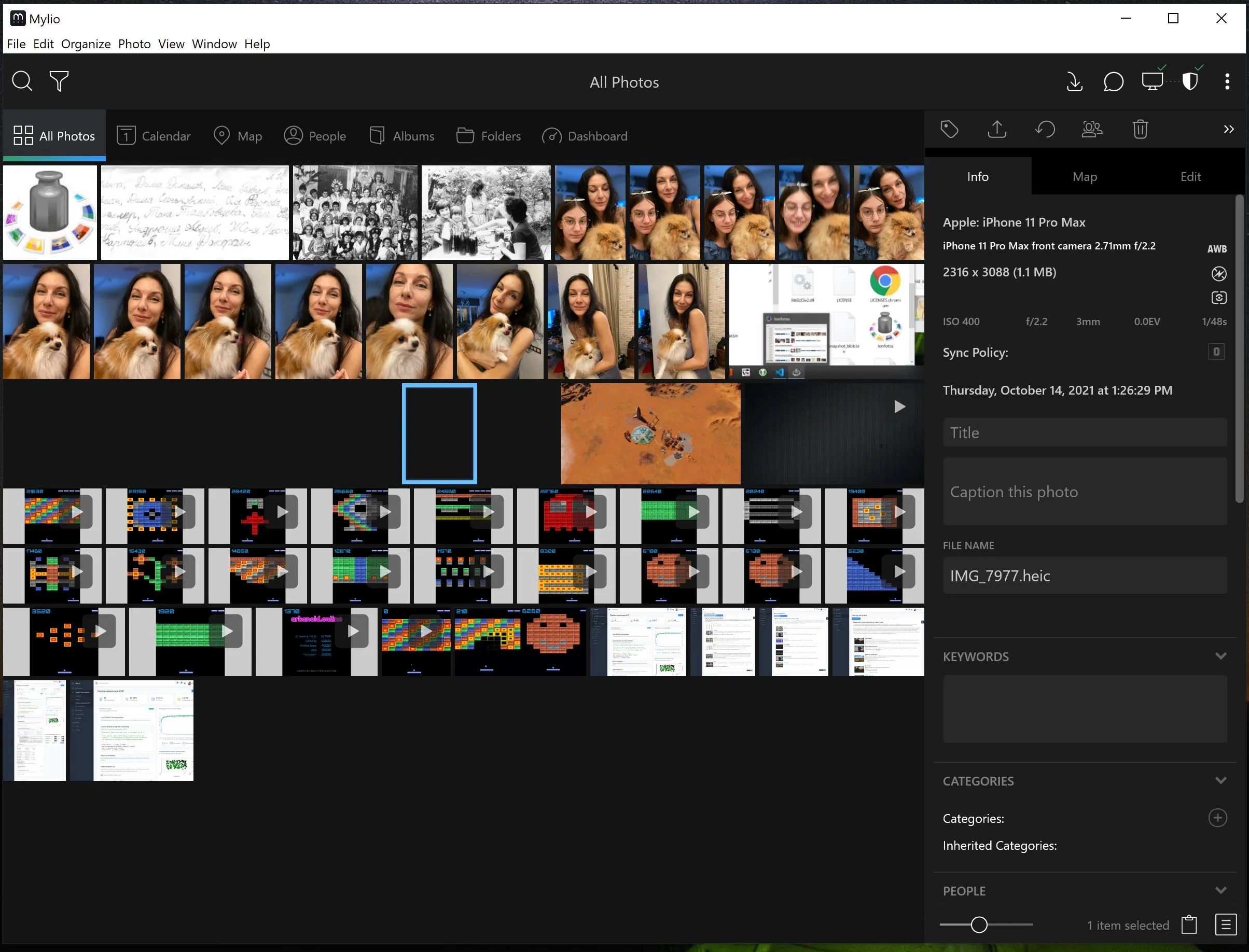
Mylio Photos is one of the most interesting photo organizers, which has a lot of functions, including face recognition. One of the main features is the import of your photos from a computer or mobile device, even from Facebook, Flickr and Lightroom, which not all similar applications can do.
If we talk about face recognition, there is a separate folder “People”, where photos with the same people from the selected directory are automatically added. You can give a name to this folder, as well as enter certain keywords that will help you find a certain photo in the future. Then, you can quite simply share the folders with your friends and colleagues.
The interface here is simple and intuitive, but the functionality is not very large, especially if it is related to the recognition of human and animal faces.
The app is also available on mobile devices.
Advantages of the program
- A good photo organizer with accurate facial recognition
- Ability to import files from various services
- Automatic creation of folders with photos of people
- Nice and user-friendly interface
- There is a free version
Disadvantages of the program
- A small list of program features
- Some photos are not being uploaded for no reason.
Apple Photo
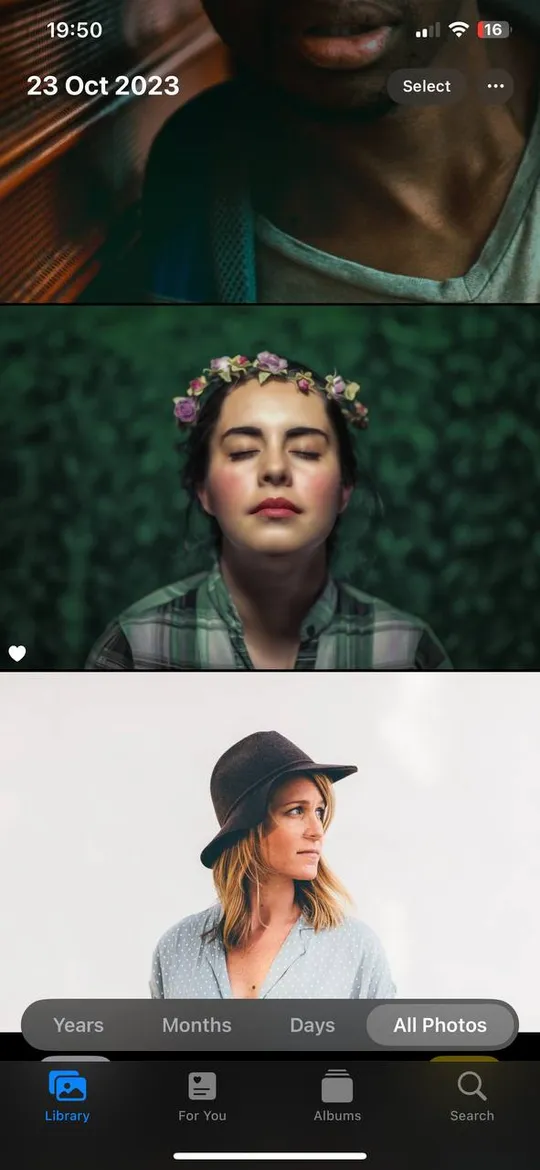
Users of Apple devices clearly noticed a strange folder in the gallery called “People”, where they saw the faces of their friends, relatives, colleagues and themselves. In iOS, this is built right into the gallery. You can see that photos with the face of a certain person are in its own folder, and you can change its name. In addition, there is a search function in the Apple gallery. If you need to find a certain object in the desired photo, for example, a “Cat”, then as a result, you will be given all the images where a cat could somehow be depicted. It also works with the people you specified, and you can also link this person's face with a contact book.
The function is very convenient, and free for use, however, not all photos appear in these folders.
Advantages of the program
- Automatic sorting of photos by folders
- The ability to link a person to a contact
- Search for a specific object by keyword
- Free for download with no additional applications needed.
Disadvantages of the program
- Rather small functionality among competitors
- Not all photos are added to folders
- Works without your request.
Microsoft Photos
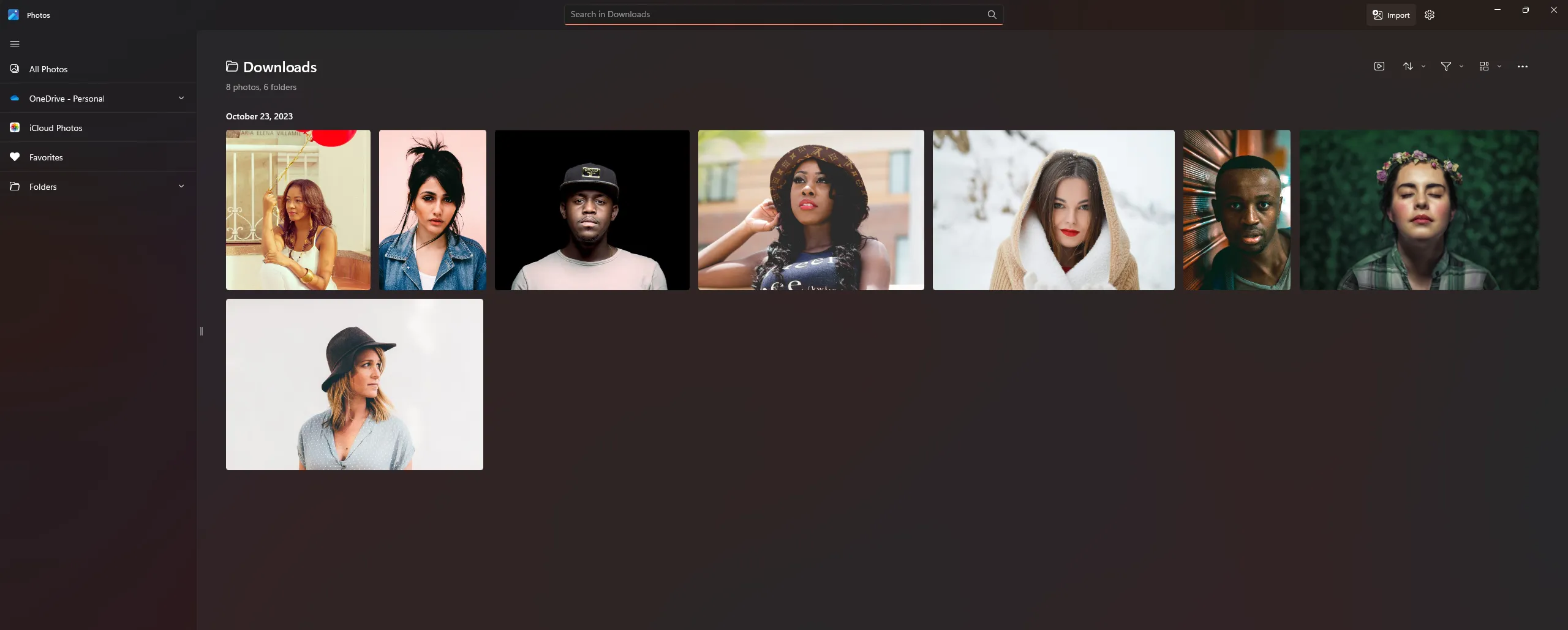
Another built-in program in the operational system is Microsoft Photos. As in other programs, images of faces are sorted automatically into various folders, but there are some additional features as well.
You can link groups of photos to contacts from the People app in Windows, which makes it easier to assign avatars. But the most unusual thing is that the program automatically sorts people not only by photo, but also by video. This means that if a person appears on some video, then it will get into the personal folder. However, these are all the features that Microsoft can offer.
Advantages of the program
- Quick and efficient
- Free
- Communication with other applications in Windows
- Automatic sorting of faces by photo and video
Disadvantages of the program
- There are practically no additional functions at all
- Photos of faces can be added to folders only after some time.
Tagthatphoto
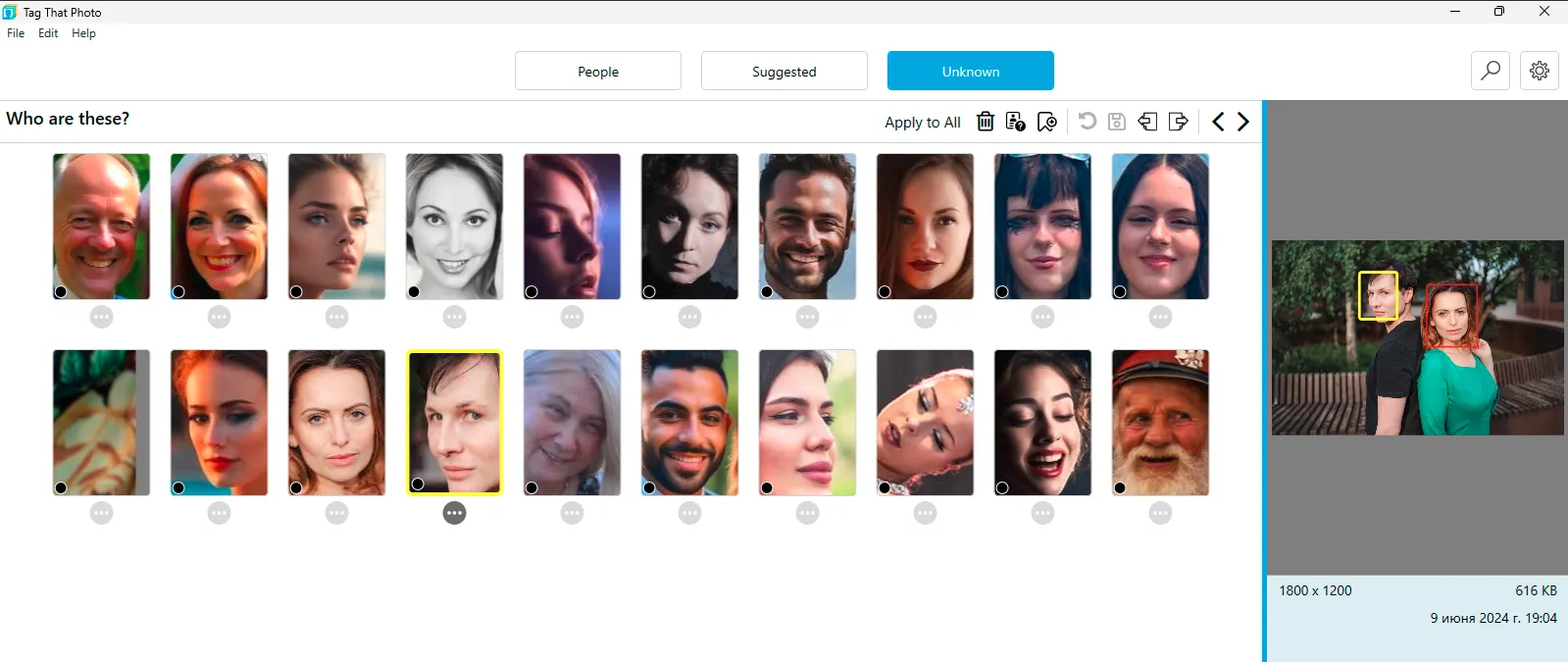
Tagthatphoto suitable for those who are looking for a simple solution for recognizing people's faces. The program has a laconic design and a minimum of functions. Whole UI consists of three tabs:
- People. Here are collected photographs where certain faces of persons already have names.
- Suggested. This section contains possible versions of the faces of previously known people.
- Unknown. These are new people in photographs without names.
It is noteworthy that in the category of unknowns, automatic sorting is performed if the same person is in different photos, and a separate list of those who appear once.
The program is only available for Windows. It has a free version, but it can only specify the names of 10 people. If you need more, you should choose one of three paid tariff plans.
Advantages
- TagThatPhoto offers a clean and intuitive design, making it easy to use even for beginners.
- The program automatically sorts unknown people in photos, simplifying the identification and naming process.
Flaws
- The free version only allows you to enter names for 10 people, which may not be enough for users with large photo archives. To use advanced features, you must purchase one of the paid plans.
- There is no ability to sort photos by other parameters, such as geolocation tag.
- TagThatPhoto is only available for the Windows operating system, making it unavailable to users on other platforms.
FAQ
Why does face recognition software take longer to process photos during the first launch?
During the first launch, the software analyzes the entire photo archive by detecting faces, comparing them, and creating an internal index. The processing time depends on the number of photos and the computer’s performance. For example, analyzing an archive of 10,000–20,000 photos may take anywhere from several hours to a full day. After that, only new photos are indexed, so processing becomes much faster.
Are there any free programs for face recognition in photos?
Yes. Built-in system apps such as Apple Photos for Mac/iPhone and Microsoft Photos for Windows are completely free and handle this task quite well. Among third-party free open-source programs, digiKam stands out, while Tonfotos offers a free version with a limitation only on the number of person profiles that can be created.
How does face recognition software work if a person is wearing glasses, a mask, or is photographed in profile?
Older algorithms, such as those used in Picasa, are more likely to ignore such faces or produce incorrect results. Modern AI-based solutions, such as Tonfotos, CYME Peakto, and Google Photos, use neural networks that can recognize people in profile, wearing sunglasses, medical masks, and even when the head is turned significantly or the face is partially covered by other objects.
Conclusion
As we said at the very beginning, face recognition is a very useful and convenient function for everyday life. With its help you can not only save your time, but also simplify routine work, because almost all programs have the ability to sort images by location, date or various tags. But often the main thing in the photo is the image of a particular person. And if the task is to find all the images of this person in disparate folders, then it will be difficult to do it manually. The program will help out. And, based on the analysis of all programs, we clearly recommend the winner - Tonfotos, which includes all the most important things that a similar program should have.